
Toolbox — Small tools that ship as source.
Toolbox
$ cat stack.txt
SwiftUI
IOKit
yt-dlp
ffmpeg
Chrome DevTools API
Manifest V3
GitHub Actions
$ stats --short
3  Tools
2,165  Lines of Swift
773  Lines of JavaScript and CSS
Tools, 2026
Scroll down
—Overview
Three small tools for one desk. Awake, a native menu bar app that keeps a Mac and its screen awake, on a timer. Siphon, a native window on top of yt-dlp: paste a link, get an MP3, M4A or MP4 — whole or just a passage — with its cover art and tags. And a Symfony tab for Chrome DevTools, designed and written by Luis Rosas and published here, that lists the API calls of a page and opens the Symfony profiler in one click. Each one ships as source, small enough to read in an evening.
02The front
What people see.
A menu bar item, a window, a DevTools tab: three tools that do one thing each, touch as little of the machine as they can, and say exactly what they touch in their READMEs.
Awake,
a cup in the menu bar
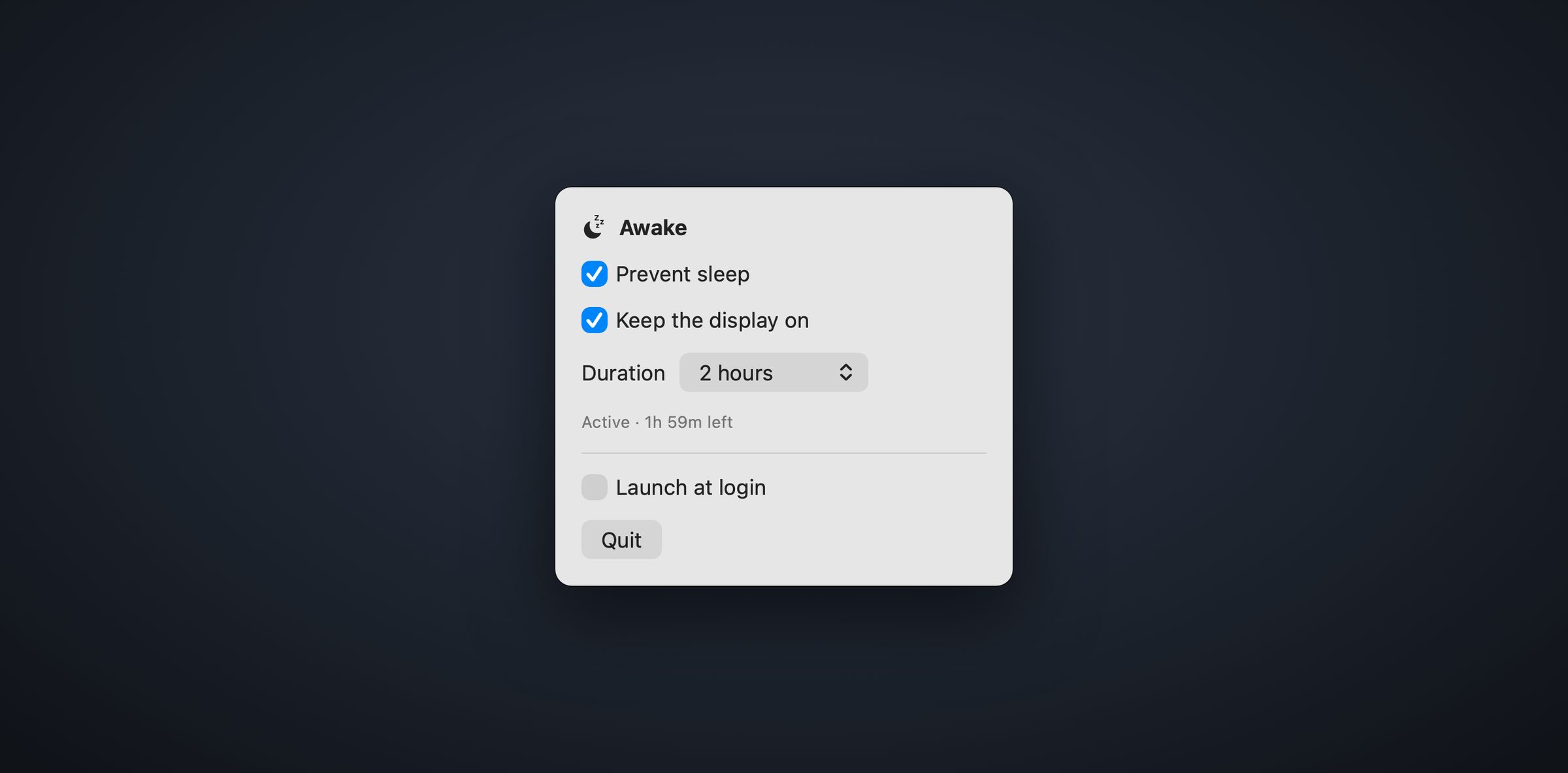
The caffeinate idea with a face: a cup in the menu bar holds an IOKit power assertion while active and releases it when the timer runs out — 30 minutes, 1 hour, 2 hours or unlimited. No shell command, no external process, no daemon.
Keep the display on and the Mac cannot idle-sleep either; turn it off and the machine keeps running while the screen still goes dark, which is what people usually mean by “my Mac slept anyway”. The state survives a relaunch: a timed session comes back only if its deadline is still ahead.
Siphon,
a window on yt-dlp
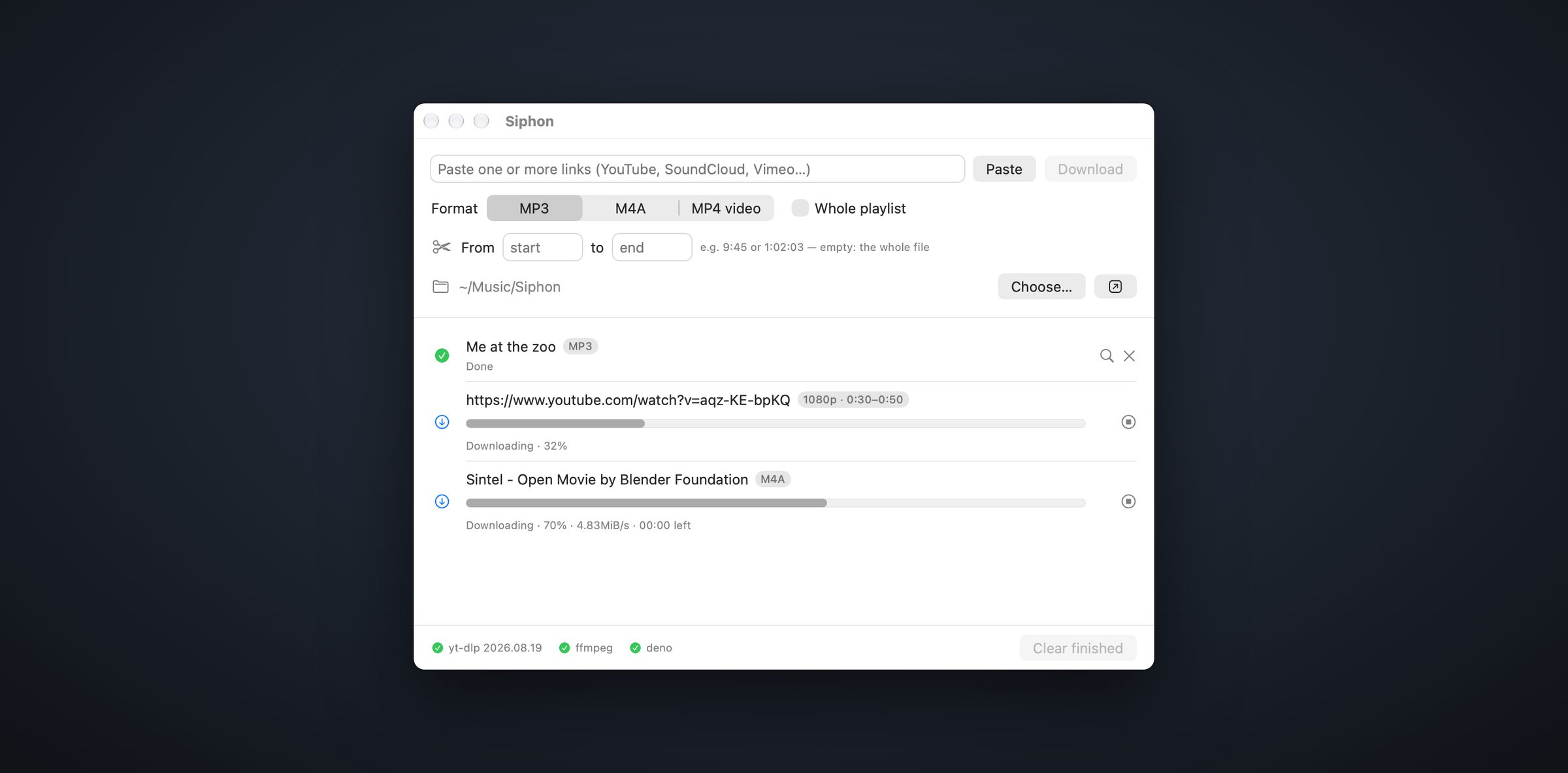
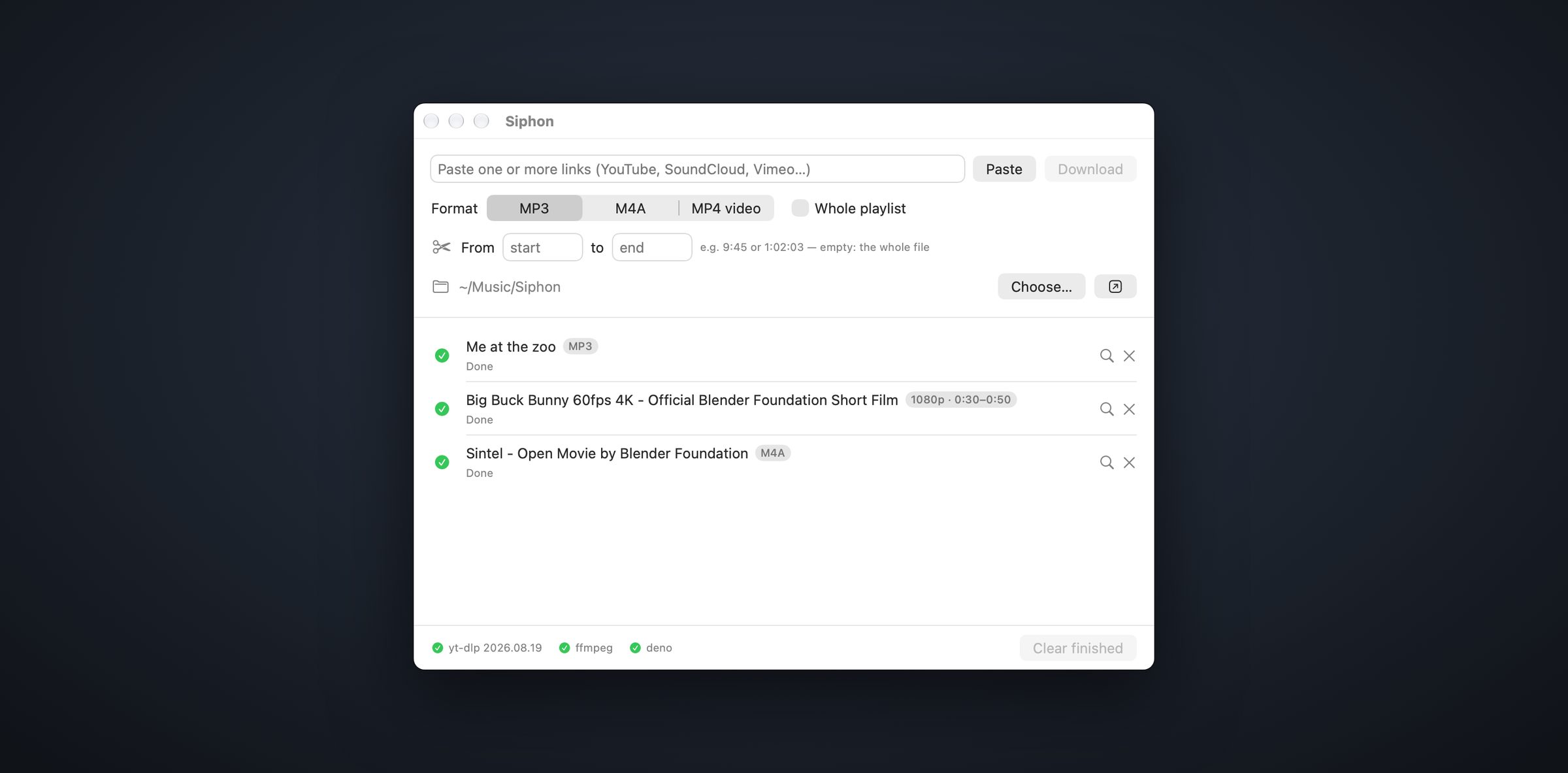
yt-dlp does the work and stays the one Homebrew keeps up to date; Siphon only builds the command line, runs it and shows what it says. Paste links or drop them from the browser, pick MP3 at 320 kbps, the untouched M4A stream or an MP4 up to 4K, and the file lands in your folder with its cover art and tags.
From and to keep a passage only, cut to the frame. Two downloads run at a time, a refusal is retried after 2 then 5 seconds, a stopped download resumes from its .part file — and every argument handed to yt-dlp lives in one function you can read.
A Symfony tab
in DevTools
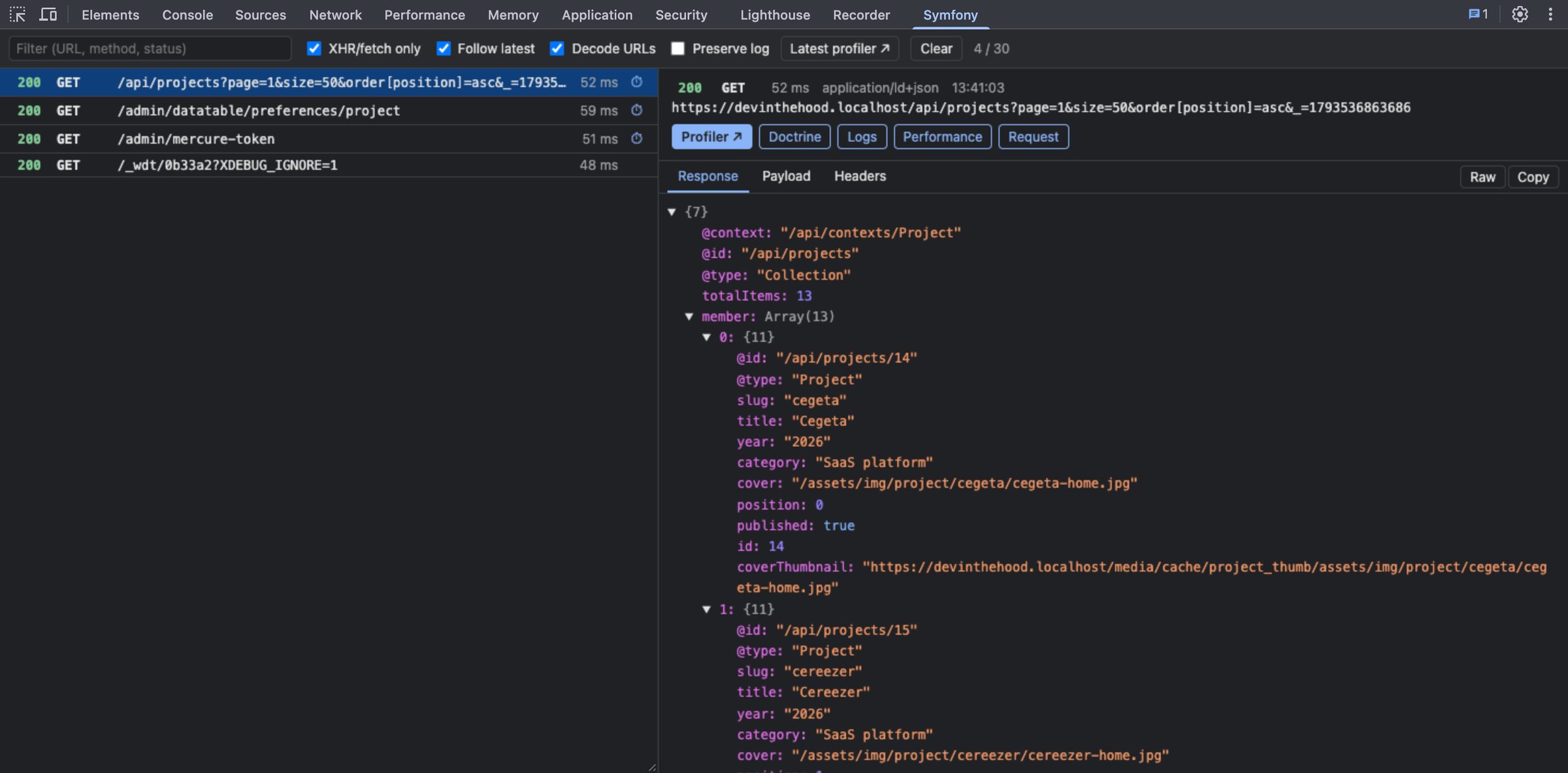
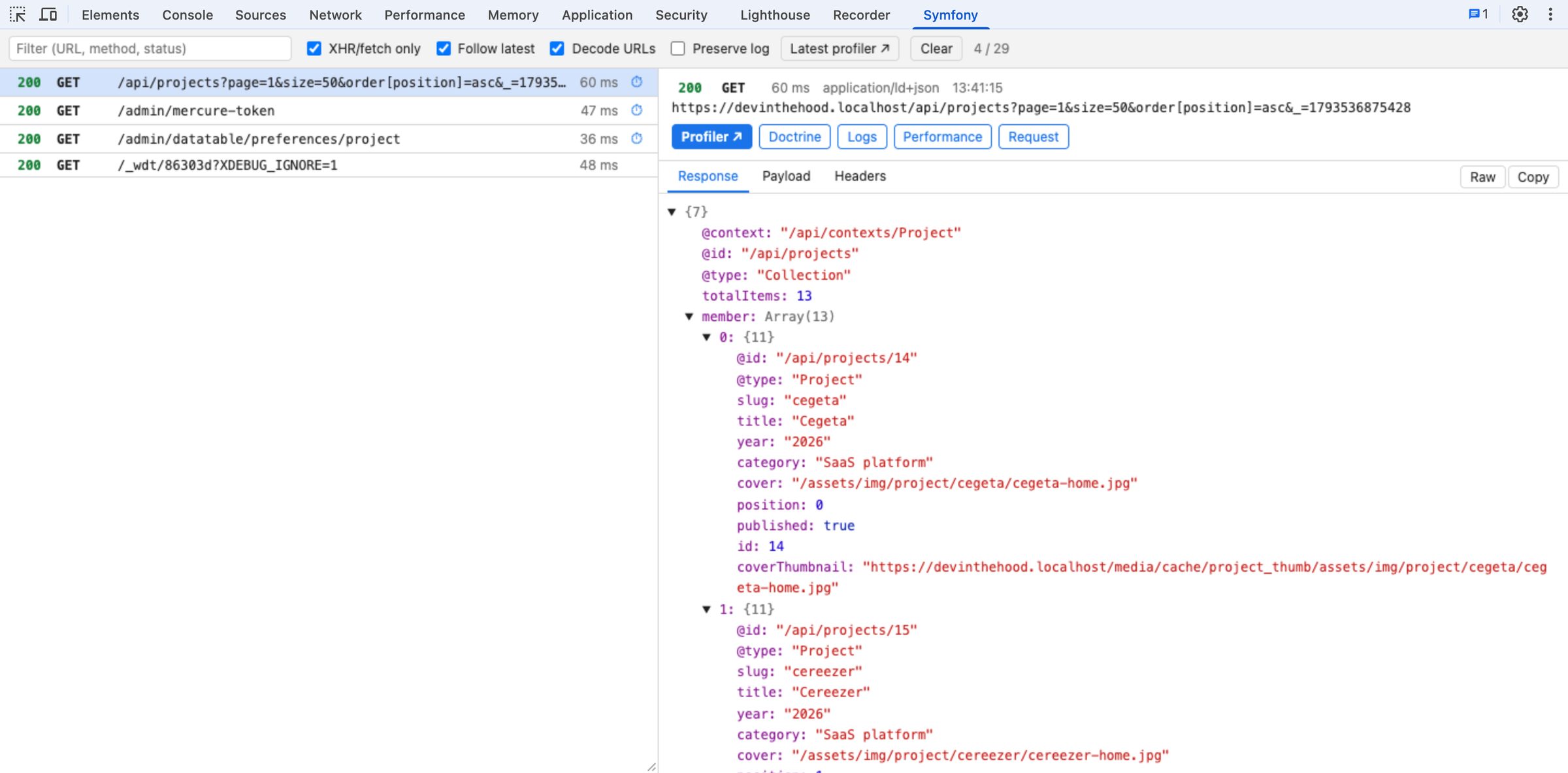
Designed and written by Luis Rosas, published here. The tab lists the XHR and fetch calls of the page, newest first, with the JSON response as a tree, the payload and the headers — and puts the Symfony profiler one click away from each of them, straight to the Exception panel on a 4xx or 5xx.
When the profiler has a performance panel of its own, such as core.performance from core-bundle, the button finds it by itself. Requests are captured as soon as DevTools opens, nothing leaves the browser, and the extension has no dependency and no build step.
The repository holds the drawing as code you can read, not a binary nobody can audit.
03The back
What keeps it standing.
$ cat stack.txt
SwiftUI
IOKit
yt-dlp
ffmpeg
Chrome DevTools API
Manifest V3
GitHub Actions
- 3Tools
- 2,165Lines of Swift
- 773Lines of JavaScript and CSS
- 0Bundled dependencies
- 10Icon sizes, drawn in code
- 500Requests kept by the panel
- 31End-to-end checks in a real DevTools
- 3Audio and video formats
42 features6 modules
017 features
Awake
- A native menu bar app: SwiftUI and IOKit
- Prevent sleep, keep the display on
- 30 minutes, 1 hour, 2 hours or unlimited
- Remaining time shown live
- State restored after a relaunch
- Launch at login through SMAppService
- No shell command, no daemon
028 features
Siphon
- Paste, drop or click: any number of links at once
- MP3 at 320 kbps, untouched M4A, MP4 up to 4K
- Cover art and tags inside the file
- A passage only, cut to the frame
- Whole playlists in a numbered folder
- Two downloads at a time
- Refusals retried after 2 then 5 seconds
- Stop keeps the .part file and resumes later
038 features
Symfony tab
- XHR and fetch calls, newest first
- JSON response as a tree, raw, or copied
- Payload and headers, X-Debug-Token highlighted
- One click to the profiler, Exception on an error
- Exception, Doctrine, Logs, Performance, Request
- Your own performance panel, found by itself
- Multi-word filter, keyboard, Preserve log
- Light and dark, following DevTools
047 features
Built from source
- No installer, no notarized DMG to trust
- swiftc and a bundle assembled by hand
- Ad-hoc signed, Xcode optional
- Universal binaries on request
- Icons rendered at build time, in ten sizes
- A build that asks a running app to quit first
- The extension: no dependency, no build step
056 features
What it touches
- yt-dlp from Homebrew, never bundled
- Every yt-dlp argument in one function
- --ignore-config: the window is the whole setting
- No network access of their own
- Nothing collected, requests kept in memory only
- Siphon removed in three lines, files left in place
066 features
Publishing
- MIT license, three times
- Chrome Web Store and GitHub releases
- CI: checks, zip, end-to-end test in a real DevTools
- A tag publishes the release and submits to the store
- Trademarks kept out of names and icons
- A README per tool: requirements, usage, troubleshooting
—Built-in quality